


Context capture
Words and phrases keep source, sentence and user intent.
Introduction
AI language tools easily become chat toys unless they preserve memory, retrieval practice and learner intent.
The UX is light during capture and focused during review: users should stay in the language, not in administration.
Features
We centered the product on the learning loop: capture, explain, schedule, recall and use.
Words and phrases keep source, sentence and user intent.
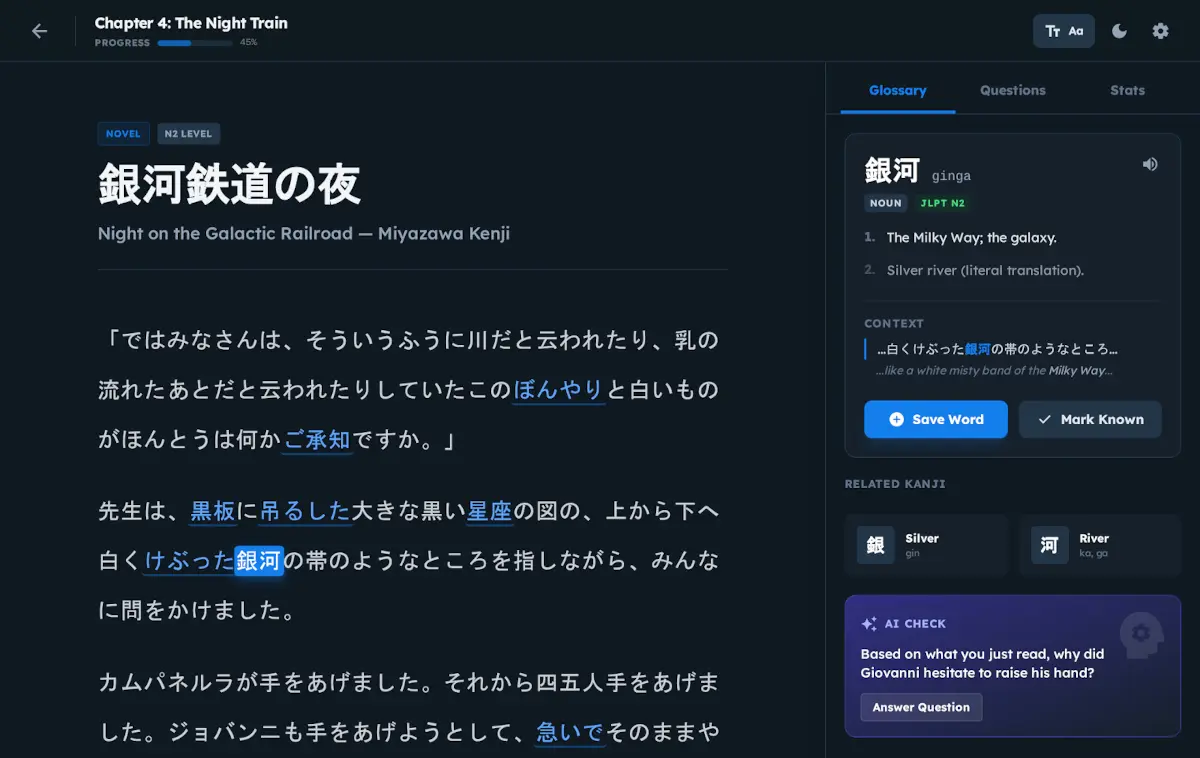
Assistance explains usage without hiding uncertainty.
Review is connected to real material instead of isolated cards.
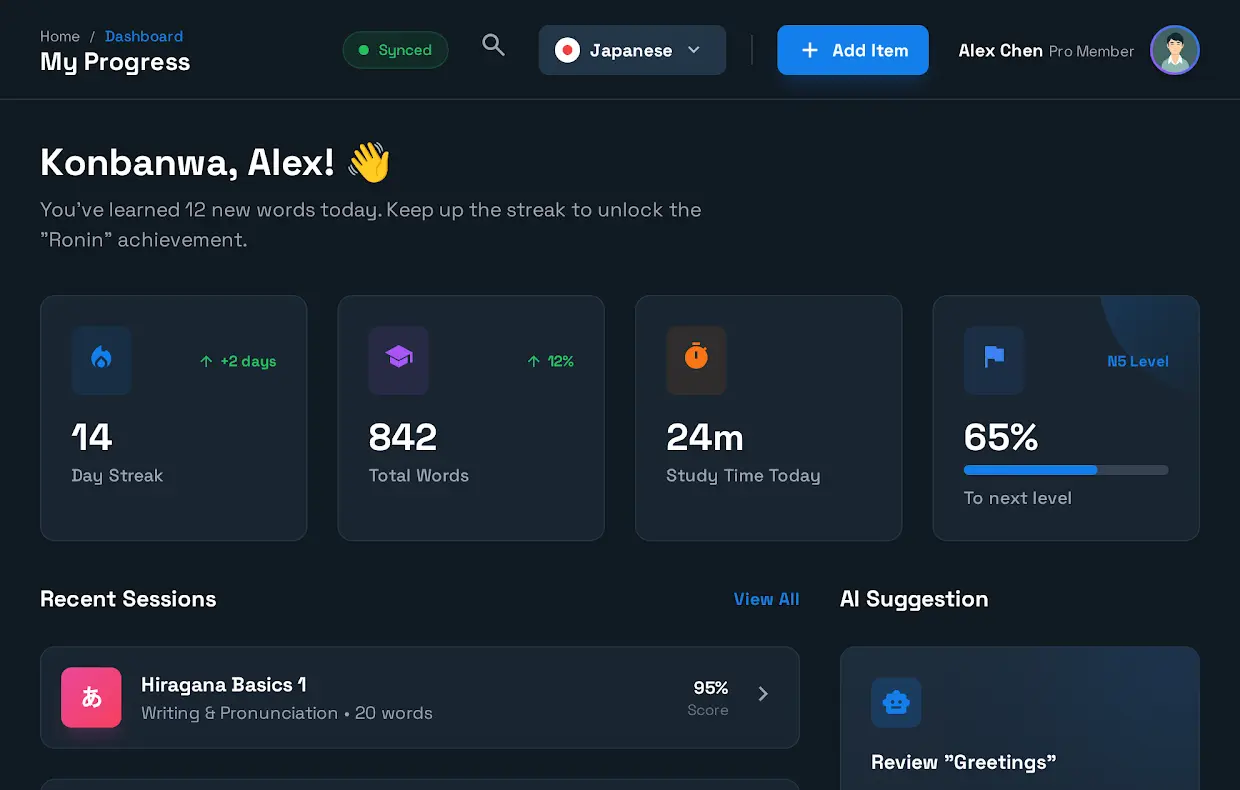
The product shows retention and usage, not only streaks.
Capture, explanation and review can use model output while preserving learner control.
A quick capture flow turns a phrase into a reviewable memory.
Cards include context, hints and recall feedback.
Users see what material is feeding their learning loop.
Challenges
Vocabulary lists, notes, immersion and speaking practice usually require separate tools.
Explanations had to help without hiding ambiguity or replacing active learning.
Captured language needed to become durable review, not another forgotten note.
The flow had to stay light enough for real immersion contexts.
Vocabulary lists, notes, immersion and speaking practice usually require separate tools.
A quick capture flow turns a phrase into a reviewable memory.
Cards include context, hints and recall feedback.
Technology stack
Kotori combines content capture, AI processing, vocabulary memory, SRS scheduling and practice flows over a privacy-conscious learning backend.
Preview
Selected product screens showing information architecture, UX decisions and real system surfaces.

Japonics
Kotori is a craft study in educational UX and responsible AI assistance.